Fatekeeper engine and graphics fact guide
Fatekeeper Engine: What Engine Does the Game Use?
Fatekeeper uses Unreal Engine 5, according to a developer reply on the official Steam community. This guide explains what is confirmed, what the engine can help deliver, and which claims still need separate evidence.
Checked August 6, 2026 against the official Fatekeeper site, Steam listing, THQ Nordic information, and the developer-tagged Steam community reply. The exact UE5 minor version and renderer settings are not treated as confirmed.

Fast Answer: What Engine Does Fatekeeper Use?
Fatekeeper uses Unreal Engine 5. The strongest public evidence is a developer-tagged reply on the game's Steam Community discussion, while the official game site and Steam listing provide the surrounding first-person RPG, world, combat, and progression context. That confirms the engine family, but it does not by itself confirm a particular UE5.x patch, Nanite, Lumen, DLSS, FSR, an engine.ini path, or a future console version. Those details need their own current source or in-game evidence.
Confirmed fact
Fatekeeper Uses Unreal Engine 5
The public answer is useful because it comes from a developer-tagged Steam reply rather than a keyword page or a guessed technical specification. The wording supports the engine family, not every feature that people associate with UE5.The source is a developer reply
A developer-tagged account answered a Steam Community question about whether Fatekeeper runs on Unreal Engine 5 and confirmed the engine family. That is stronger than repeating a search snippet, a forum guess, or a community benchmark title. The source is still a dated reply, so this guide preserves the date and avoids pretending that it documents every internal build setting.
The public fact is UE5, not a full renderer specification
Unreal Engine 5 is the confirmed level of detail. The public source does not give this page a verified minor version, project configuration, shader pipeline, upscaling preset, or post-processing list. Keeping the claim narrow makes the answer more durable as Fatekeeper changes during Early Access.
Why players search for the engine
An engine query is usually a shortcut for several concerns: visual quality, frame pacing, hardware requirements, mod support, and whether a game feels like other UE5 releases. Those are related questions, but they are not the same fact. This page separates the engine answer from the performance and platform guides that need different evidence.
The safest wording to reuse
The reliable short sentence is: Fatekeeper is built with Unreal Engine 5, based on a developer-tagged Steam Community reply checked on the date shown above. Do not expand that sentence into a promise that the game uses every UE5 feature, that it will run well on every PC, or that it is confirmed for a particular console.
Useful context
What Unreal Engine 5 Helps Explain in Fatekeeper
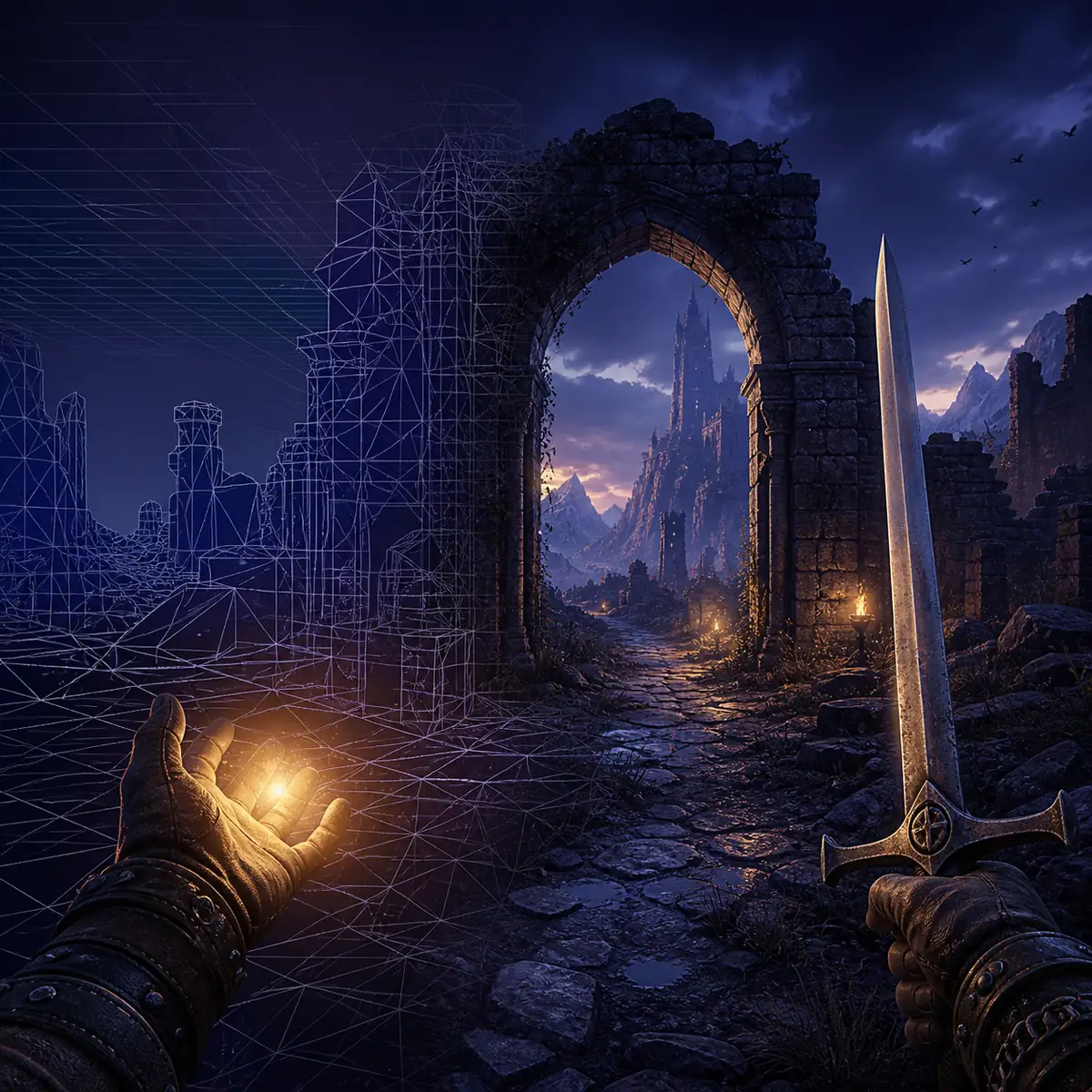
The engine is background technology. It helps explain why the game can present a detailed first-person world, reactive combat, lighting, materials, and a large collection of weapons and environments, but the shipped result still depends on the developer's design and optimization work.World detail is a combined result
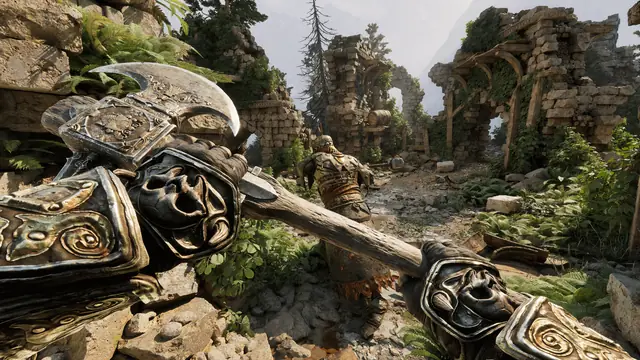
The official Fatekeeper description emphasizes a handcrafted world with ancient battlegrounds, underground areas, forests, and forgotten sanctuaries. An engine supplies rendering and development tools, but the sense of place comes from level art, composition, lighting decisions, materials, encounter design, and the team's production choices.
First-person combat still depends on design
Fatekeeper's identity is not just a technology label. The official description centers on reactive melee, spells, enemy patterns, and preparation. Unreal Engine 5 can support the underlying scene and animation work, but timing windows, hit feedback, stamina rules, and enemy behavior are game design decisions that must be judged from the build itself.
Progression and gear are not engine features
The official game materials also describe attributes, spell schools, weapons, armor, and artifacts. These systems may use engine tools and data structures, yet the engine does not tell you how many classes exist, what the final level cap will be, or how an item scales. Those answers belong on the builds, skill-tree, weapons, and roadmap pages.
A screenshot gives visual context, not technical proof
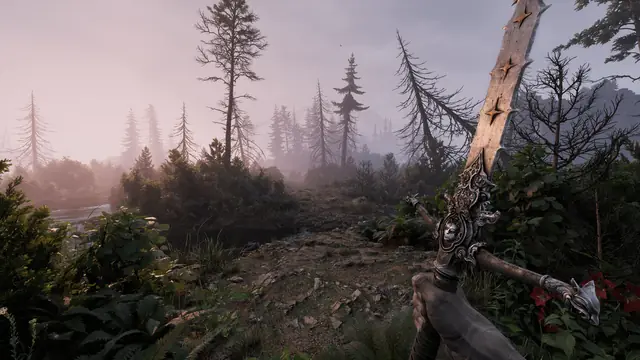
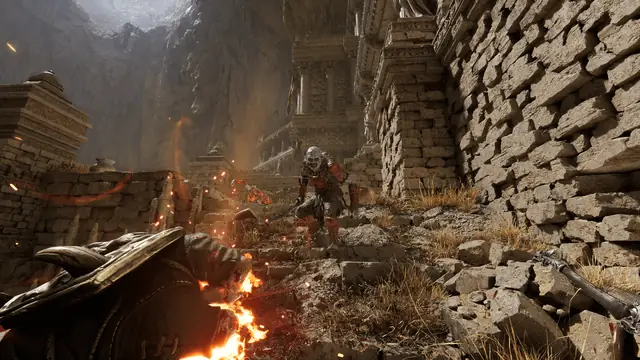
A game screenshot can show the current visual result, but it cannot prove which lighting feature, anti-aliasing mode, texture setting, or shader path produced every pixel. Use screenshots to understand the player's experience and use first-party text or a clearly attributed developer statement for technical claims.
Evidence boundaries
What the Fatekeeper Engine Fact Does Not Confirm
This is the section that prevents a useful engine answer from turning into a list of invented settings. Treat the following claims separately until a current official source, developer statement, or reproducible in-game check supports them.| Claim | Current status | How to handle it |
|---|---|---|
| Unreal Engine 5 | Confirmed by a developer-tagged Steam reply | Use as the primary engine answer. |
| Exact UE5.x minor version | Not confirmed by the source used here | Do not publish a minor version as fact. |
| Nanite, Lumen, or a specific lighting path | Not confirmed by the engine statement alone | Describe visible results cautiously and cite a separate technical source if needed. |
| DLSS, FSR, frame generation, or a fixed upscaler | Needs current build and settings evidence | Check the live PC options rather than inferring from UE5. |
| PS5, Xbox, mobile, or APK support | Not implied by the engine choice | Use the dedicated platform pages and official announcements. |
| An engine.ini path or working tweak | No official path verified here | Do not turn a guessed file path into a tutorial or download CTA. |
PC reality
Engine, System Requirements, and Performance Are Different Questions
Knowing the engine is a starting point, not a benchmark. A good buying or troubleshooting answer combines the official requirements, the current Early Access build, resolution and settings, hardware, drivers, and observed frame pacing.Start with the official requirements
If the practical question is whether Fatekeeper will run on a PC, begin with the current Steam requirements and the site's system-requirements guide. Compare CPU, GPU, memory, storage, operating system, target resolution, and the quality preset you actually plan to use. The engine name cannot replace those checks.
Early Access makes performance a moving target
Fatekeeper is an Early Access game, so patches can change content, shader compilation behavior, asset streaming, graphics options, and optimization. A performance report should include its date, hardware, resolution, settings, driver context, and build. Do not copy a benchmark result as if it were a permanent system requirement.
Visual quality and frame pacing can trade off
A scene may look impressive while still needing careful settings work on a mid-range PC. Lowering shadows, effects, view distance, resolution scale, or other options can improve playability, but the useful setting depends on the live menu and the player's hardware. This guide does not prescribe an unverified configuration.
Do not assume an engine.ini fix
Searches for engine.ini often come from players looking for hidden settings or stutter fixes. A file path found in another UE5 game is not proof that Fatekeeper uses the same configuration. Without a current, reproducible, first-party-safe procedure, it is better to link to system-requirements and official patch information than to publish a fragile tweak.
Source method
How to Verify a Fatekeeper Engine Claim
A short source chain is enough when each source has a different job. The official site identifies the game and its design, Steam identifies the live PC listing, and the developer reply supplies the engine statement.Start with the official Fatekeeper site
Use the official site to confirm the game identity, first-person RPG positioning, world, combat, progression, and gear context. It is the right source for what the game is, not a substitute for a technical engine statement that it does not publish.
Compare the official Steam listing
Steam provides the current storefront identity, Windows PC route, Early Access context, requirements, feature labels, and update-facing information. If the store page changes, update platform and performance guidance separately from the stable engine fact.
Open the developer-tagged community reply
The developer reply is the key evidence for Unreal Engine 5. Treat it as a dated public statement and preserve the exact scope: it confirms the engine family. It does not publish the game's complete renderer configuration or guarantee a future platform port.
Use third-party analysis as context, not ownership of the fact
Independent PC performance articles can help describe observed behavior and explain why hardware questions appear around UE5 games. They should remain attributed editorial context. They do not replace the developer statement or turn a benchmark into an official requirement.
Record the check date
Engine pages age more slowly than release-date pages, but Early Access technical details can still evolve. Keep the visible check date, revisit the official sources after substantial patches, and change only the claims supported by new evidence.
Sources and next reading
Official Sources and Related Fatekeeper Guides
Use the sources for the technical claim, then open the internal guides for the questions that the engine fact cannot answer by itself.Fatekeeper Engine FAQ
What engine does Fatekeeper use?
Fatekeeper uses Unreal Engine 5, based on a developer-tagged reply in the official Steam Community discussion checked for this guide.
Does the source confirm the exact Unreal Engine 5 version?
No. The public statement confirms Unreal Engine 5 as the engine family, but it does not give this page a verified UE5.x minor version. Do not repeat a specific minor version unless a current first-party source supports it.
Does Unreal Engine 5 prove that Fatekeeper uses Nanite or Lumen?
No. The engine choice does not prove that every UE5 feature is enabled in the current build. Nanite, Lumen, ray tracing, upscaling, and post-processing claims need separate technical or in-game evidence.
Does the Fatekeeper engine determine PC performance?
Not by itself. Performance depends on the current Early Access build, hardware, drivers, resolution, graphics settings, asset streaming, and frame-pacing behavior. Use the official requirements and a dated benchmark together.
Can I use an engine.ini tweak to improve Fatekeeper?
No verified engine.ini path or universal tweak is provided by this guide. A path from another Unreal game may not apply to Fatekeeper, so avoid fragile edits until a current, reproducible source is available.
Does using Unreal Engine 5 confirm Fatekeeper for PS5 or Xbox?
No. An engine choice does not announce a platform port. Check the dedicated PS5, Xbox, and platforms pages plus official announcements for current console status.
Where should I check if my PC can run Fatekeeper?
Start with the current Steam requirements and the Fatekeeper system-requirements guide. Then compare the target resolution and quality preset with your own CPU, GPU, memory, storage, drivers, and the current Early Access build.